How to Change Localization Settings in FossDoc
By default, FossDoc server uses the localization parameters of your operating system. So, if you're running an English version of Windows, when you open FossDoc Administrator, its interface will be in English:
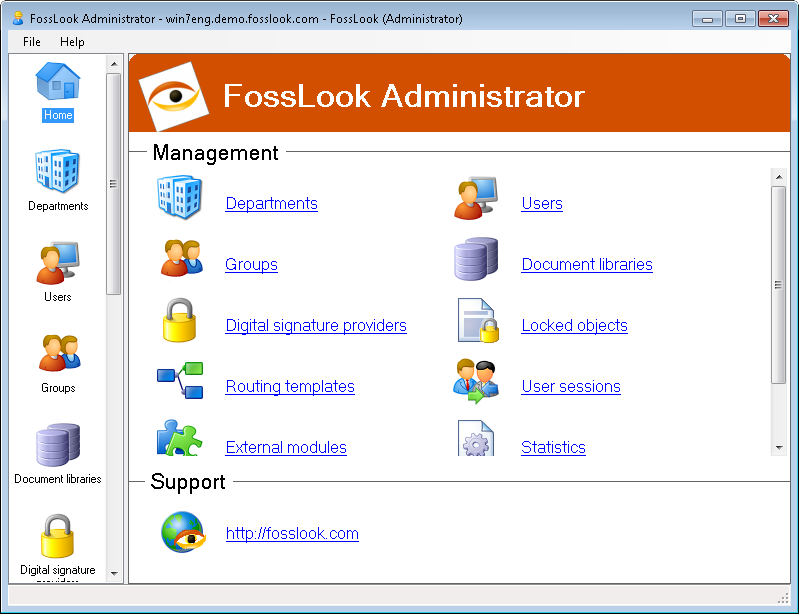
As you can see from the screenshot, current solution localization is English.
In order to change the localization of your solution, for example, to Russian, run the FossDoc Administrator (extended mode) from Windows "Start" menu and connect to the server. Then go to "System dictionaries"/"Localization settings", and select the necessary localization, as shown in the screenshot below:
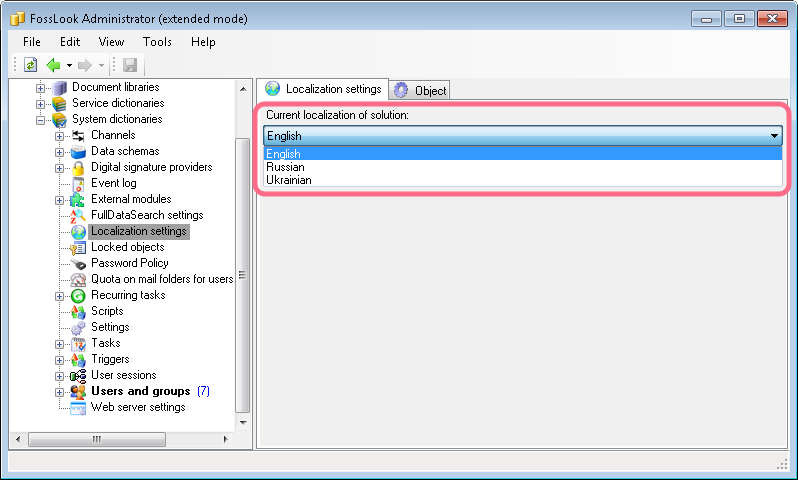
Then, restart the FossDoc Server in the Windows "Services", and localization settings for your FossDoc EDMS solution will be changed.
FossDoc EDMS currently supports three localizations: English (en-US), Russian (ru-RU) and Ukrainian (uk-UA).