Parallel Route
By default, when you create a route, it has a parallel route. This means that all the tasks, and documents will go to all of the receivers simultaneously.
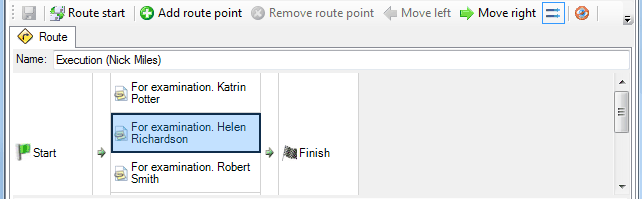
You can change the behavior of parallel routes with the
 /
 buttons.
-
- “Or” mode. In this mode, the execution of at least one route point is expected. If it is closed, the document will move on. The remaining route points of the route will close automatically.
-
- “And” mode. In this mode, the execution of all route points is expected. Until all route points are closed, the document will not move.
Related articles
- Collaboration on documents
- «For Approval» order
- «For execution» (auto close) order
- «For examination» order
- «For execution» (manual close) order
- Order execution sent to department
- Working with tasks
- Orders
- Managing route points
- Serial/parallel route
- Serial route
- Documents routing
- Sending files via e-mail
- Using FossDoc opportunities
- How to enable or disable to delete routes for individual users?
- Document routing