«For Approval» order
Order preparation
To send a document for approval, you have to choose the corresponding order type
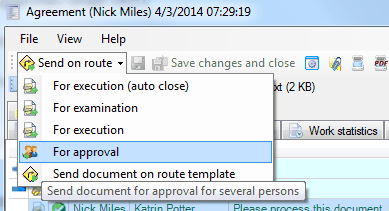
Next, prepare the order as you would prepare the «For Examination» order.
Order execution
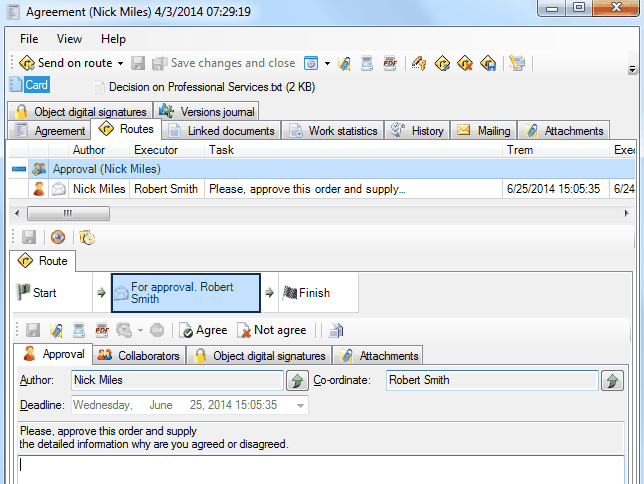
When opening «For Approval» order, the executor(-s) can write their comments in the report and click
 or

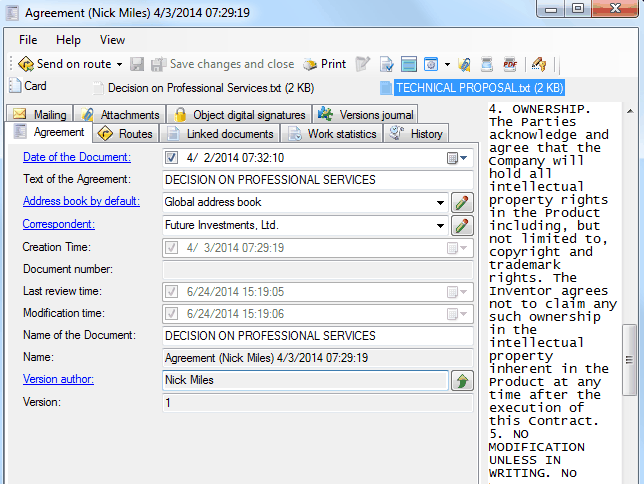
They can write their comments directly to the text file attached to the document, or create their own version of the file and add it to the “Attachments” tab.
Order control by the Author
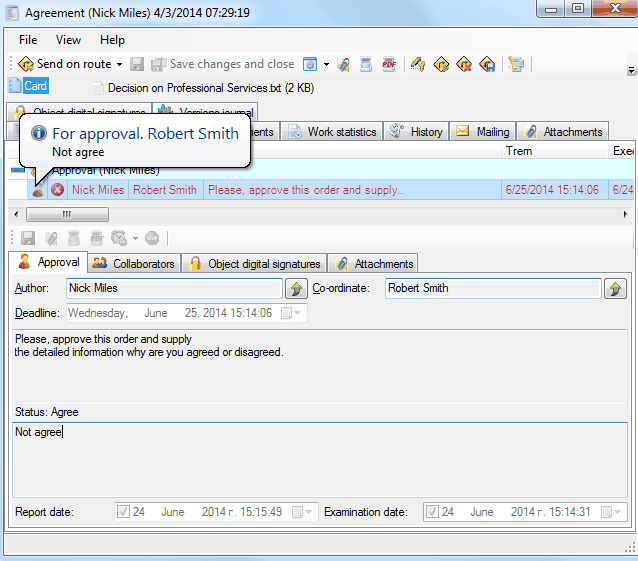
The Author can analyze the order's state by its waypoint color. If the employee agreed, the waypoint's color is green.
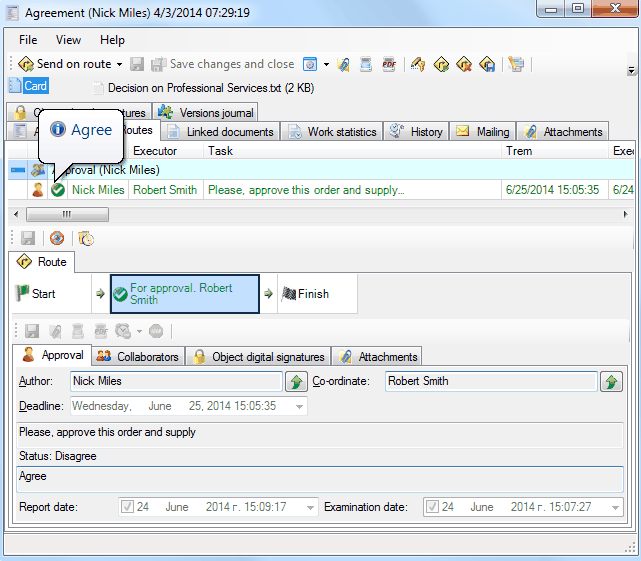
If the employee disagreed, the waypoint's color is red.
Order execution sent to department
Related articles
- Collaboration on documents
- «For execution» (auto close) order
- «For examination» order
- «For execution» (manual close) order
- Order execution sent to department
- Working with tasks
- Orders
- Managing route points
- Parallel Route
- Serial/parallel route
- Serial route
- Documents routing
- Sending files via e-mail
- Using FossDoc opportunities
- How to enable or disable to delete routes for individual users?
- Document routing