Restriction of access to attached files
You can also restrict access to particular files attached to the document. Select “Attached files” tab, place cursor on necessary file and change permissions by clicking right mouse button.
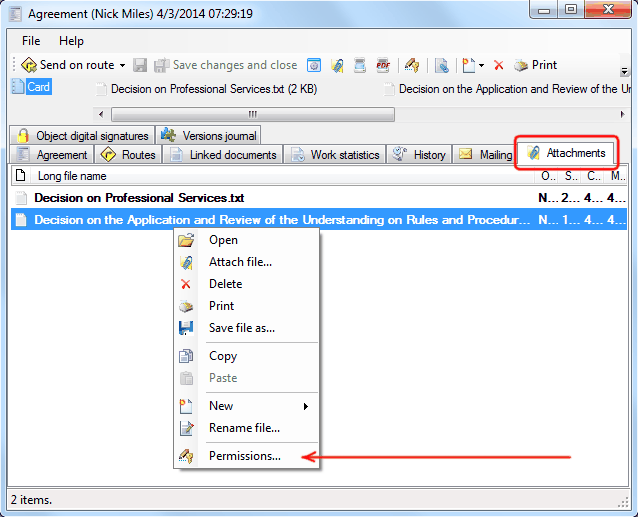
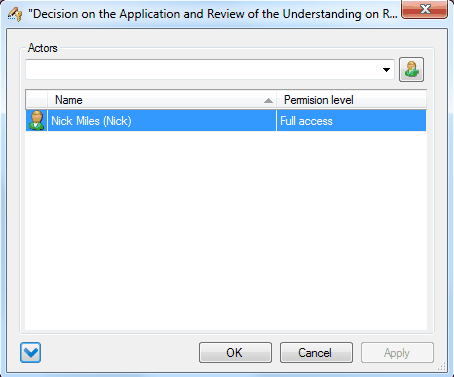
For example, let's assign an access level "only for myself" to this file.
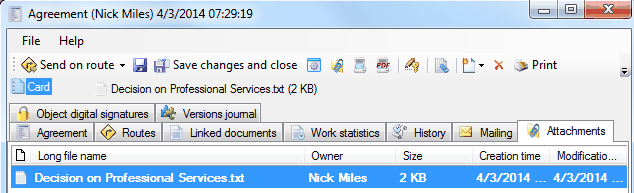
When any other user opens this document he will not see this attached file.
Related articles
- Tracking of powers
- Options of access levels
- Levels of access
- Access levels
- Restriction of access to documents and attached files
- Restriction of access to documents
- FossDoc User Groups
- Options for providing access to folders and documents
- Delegating mailboxes within a department
- Delegation of powers by administrator
- Delegation of powers by employee
- Delegation of powers
- Providing access to folders with documents
- Tracking of delegated powers by system
- Delegation of authorities