Delegation of powers by employee
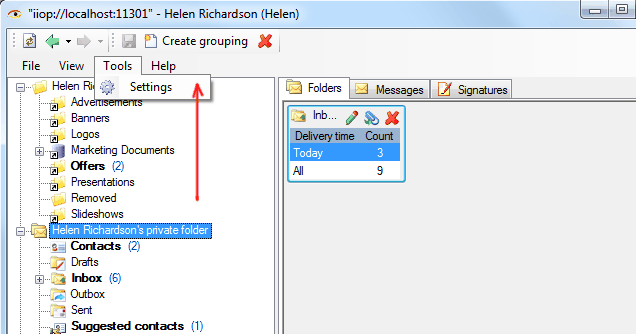
Employee can delegate his powers to another employee by himself. To do this, go to menu item “Tools -> Settings” on the user’s desktop
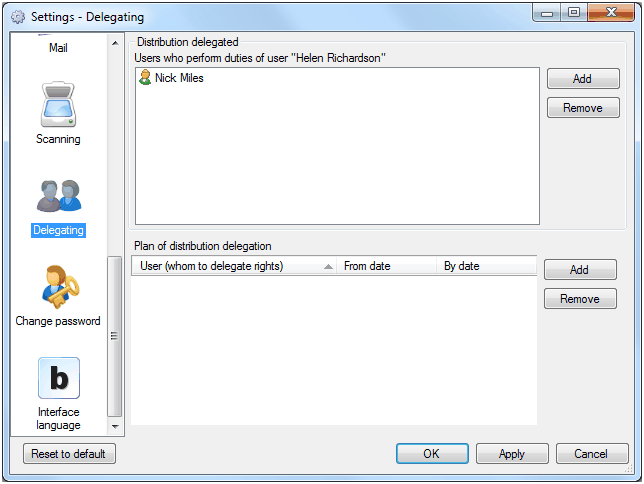
select “Delegating” item and add users to which you want to delegate powers.
Tracking of delegated powers by system
Related articles
- Tracking of powers
- Options of access levels
- Levels of access
- Access levels
- Restriction of access to documents and attached files
- Restriction of access to documents
- Restriction of access to attached files
- FossDoc User Groups
- Options for providing access to folders and documents
- Delegating mailboxes within a department
- Delegation of powers by administrator
- Delegation of powers
- Providing access to folders with documents
- Tracking of delegated powers by system
- Delegation of authorities