Order execution sent to department
Order preparation
Orders that are sent for execution to the whole department will come into the "Inbox" folder of all employees of this department. Initially, the executor of such order will be the whole department. Any member of the department can take it to fulfillment. For this purpose he/she should click on

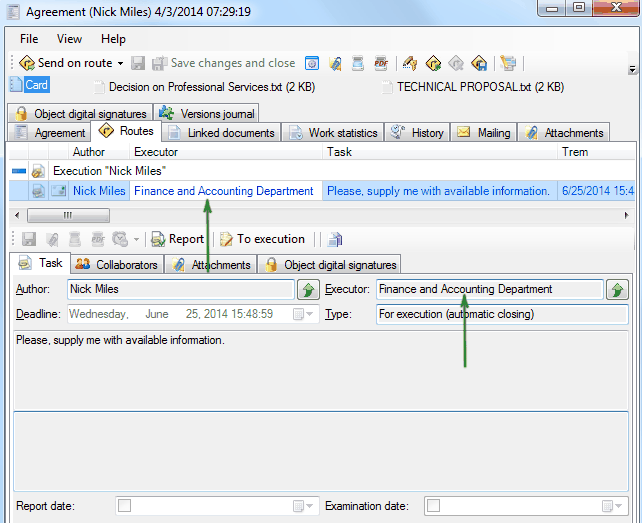
after acceptance to execution of this order, it will be deleted from the "Inbox" folder of all other employees and executor of order is an employee that made this order for execution.
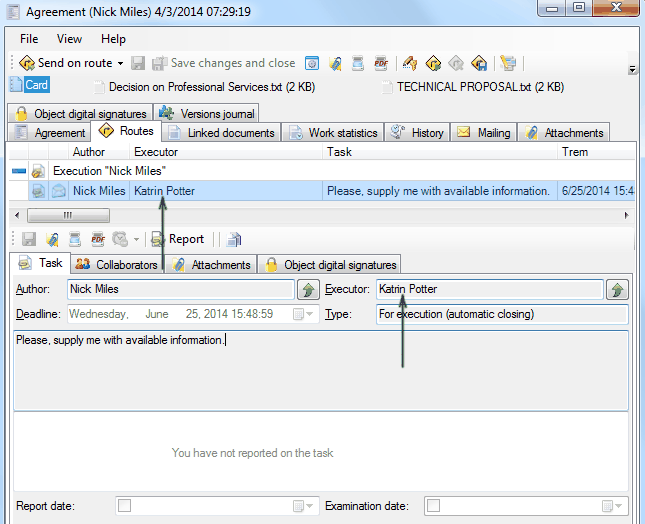
Further operation with the order proceeds as usual.
Related articles
- Collaboration on documents
- «For Approval» order
- «For execution» (auto close) order
- «For examination» order
- «For execution» (manual close) order
- Working with tasks
- Orders
- Managing route points
- Parallel Route
- Serial/parallel route
- Serial route
- Documents routing
- Sending files via e-mail
- Using FossDoc opportunities
- How to enable or disable to delete routes for individual users?
- Document routing