FossDoc User Groups
FossDoc has a number of built-in user groups that give users certain permissions and ability to use different features of the system. System Administrator can add or remove user from the group. He can also create a custom user group, that will have unique functionality within the company's solution. To start working with groups open FossDoc Administrator and select "Groups".
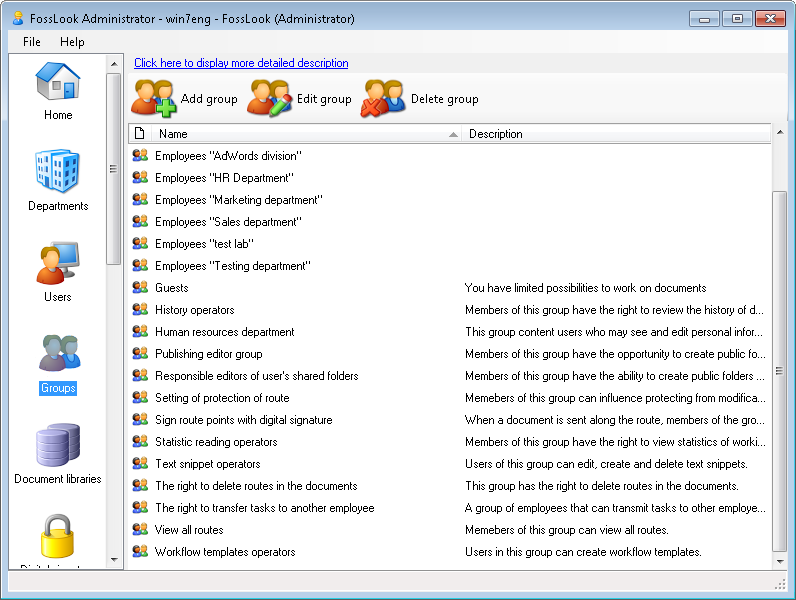
Built-in user groups
Built-in user groups are already embedded within the system and for the most part provide access to different system functionalities.
| Group name | Description |
|---|---|
| Administrators | Users in this group have full access rights to the FossDoc system |
| Data Scheme Operators | This group includes users who have rights to add/update/delete data schemes (document types, folders, etc.) |
| Text Snippet Operators | Members of this group can edit, create and delete text snippets (predefined phrases or sentences, that can be quickly inserted into a document) |
| History and Statistics Operators | These users can view document's history and statistics |
| Workflow Templates Operators | Members of this group are able to create workflow templates |
| Shared Folders Editors | Members of this group are able to create shared folders and assign access rights to these folders |
| Executive Shared Folders Editors | Members of this group can create shared folders in the root folder |
| Human Resource Department | A group of users who can view and edit the personal information of employees, such as description, photos, and e-mail addresses |
| All | This group includes all users |
Managing user groups
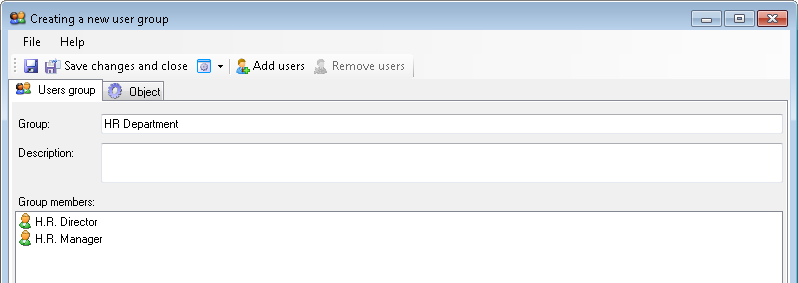
System administrator can create a custom user group and add users to this group.
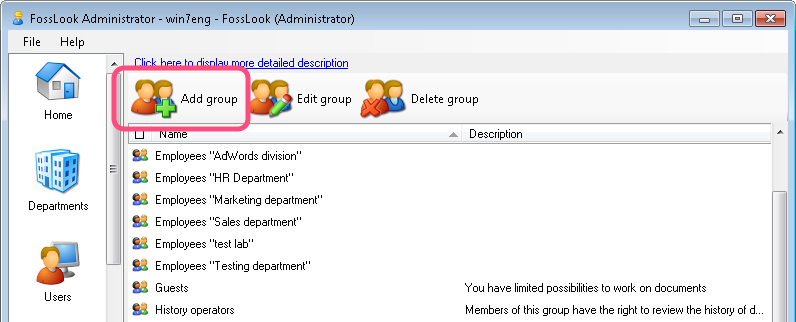
To do this, click
 button,
enter group name, description and add users to the group.
So, in FossDoc user groups help keep users of the system organized and structured. Get Started Now
Related articles
- Tracking of powers
- Options of access levels
- Levels of access
- Access levels
- Restriction of access to documents and attached files
- Restriction of access to documents
- Restriction of access to attached files
- Options for providing access to folders and documents
- Delegating mailboxes within a department
- Delegation of powers by administrator
- Delegation of powers by employee
- Delegation of powers
- Providing access to folders with documents
- Tracking of delegated powers by system
- Delegation of authorities