Managing route points
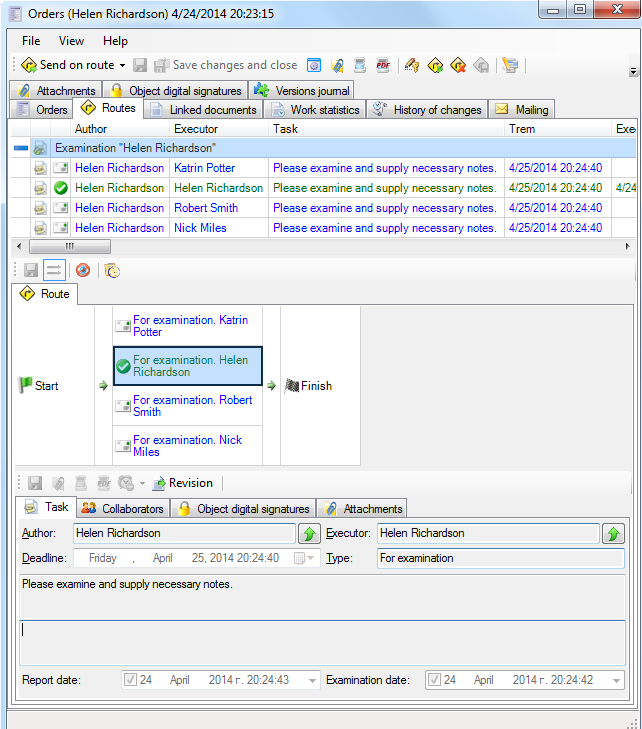
You can add or delete existing orders. Order routes can be edited directly with the help of “Routes” tab which is available within the document's card. Orders are presented in a table view in the upper part of a card. Orders that are executed are displayed in the middle part of a card. The order body itself is displayed in the very bottom part of a card.
The visibility of the orders are controlled by the
 /

-
- the order is only seen by its receiver. The receiver doesn’t see other orders. Receivers who are not in the route, do not see the route.
-
- the route and the order is seen to all receivers, who have access to the document.
- Holding down the
 , the sender of the order will be notified of the completion of the route.
Related articles
- Collaboration on documents
- «For Approval» order
- «For execution» (auto close) order
- «For examination» order
- «For execution» (manual close) order
- Order execution sent to department
- Working with tasks
- Orders
- Parallel Route
- Serial/parallel route
- Serial route
- Documents routing
- Sending files via e-mail
- Using FossDoc opportunities
- How to enable or disable to delete routes for individual users?
- Document routing