Delegation of powers by administrator
Powers can be delegated from one employee to another by administrator or by employee. In this section we will take a look at administrator’s actions to delegate powers. To delegate powers log in to the system as administrator and select employee which powers you would like to delegate.
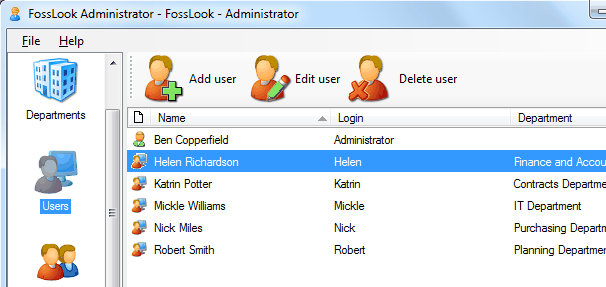
To do this, click
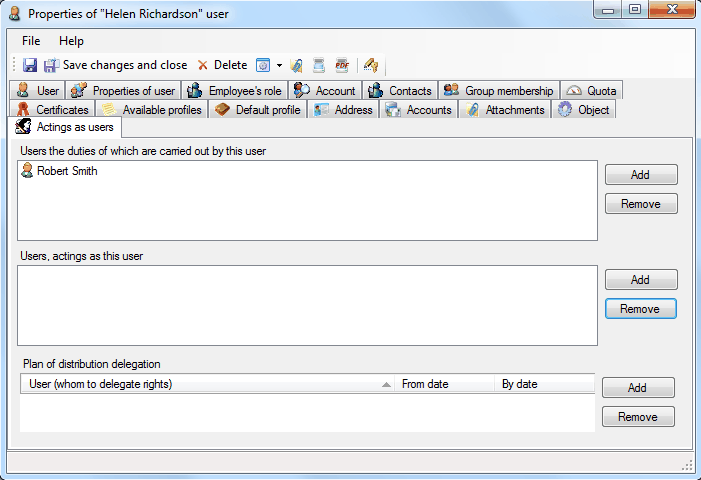
 and on “Acting as users” tab select employee to whom powers will be delegated. In this case powers of Helen Richardson will be delegated to Robert Smith.
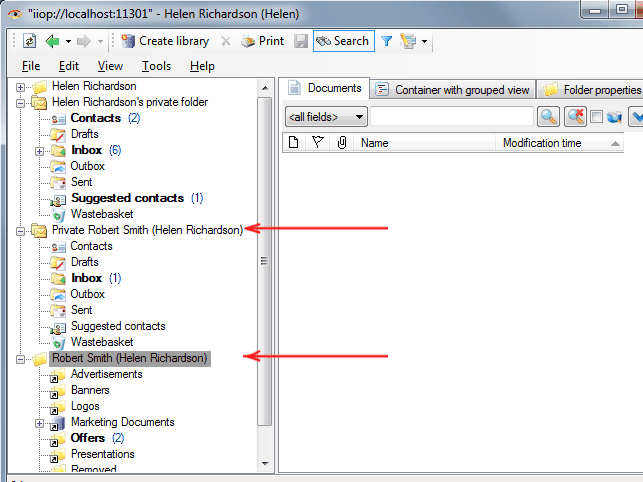
and he will see all the Helen Richardson's folders in her folder structure and can process documents on his behalf.
Delegating powers by an employee
Related articles
- Tracking of powers
- Options of access levels
- Levels of access
- Access levels
- Restriction of access to documents and attached files
- Restriction of access to documents
- Restriction of access to attached files
- FossDoc User Groups
- Options for providing access to folders and documents
- Delegating mailboxes within a department
- Delegation of powers by employee
- Delegation of powers
- Providing access to folders with documents
- Tracking of delegated powers by system
- Delegation of authorities