Document routing
You can organize documents routing between employees and departments with the help of documents routing module which is the part of FossDoc EDMS platform. If you need to send the electronic document on execution, coordination or acquaintance, use "Send by the route" command on the document's card:
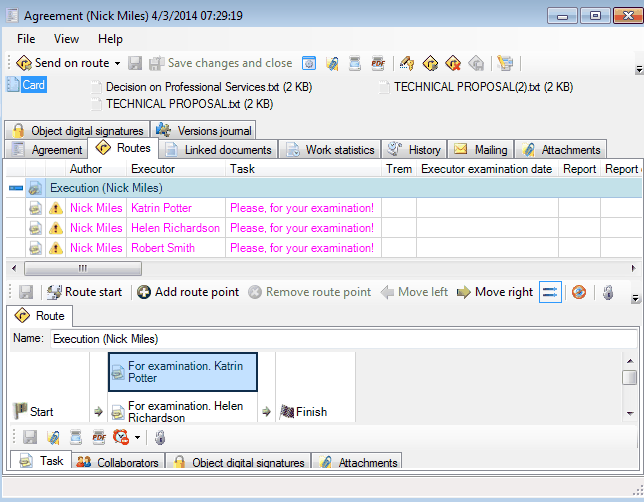
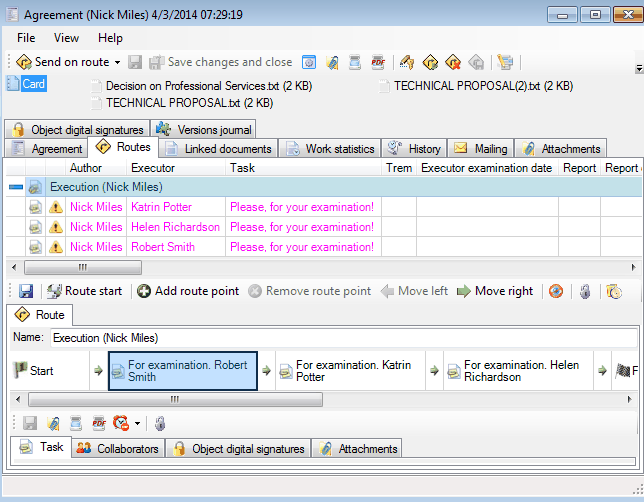
Then change the recipients of the documents, build parallel, serial and serial/parallel routes.
Assign deadlines and tasks for each employee individually or use "Apply to All" option.
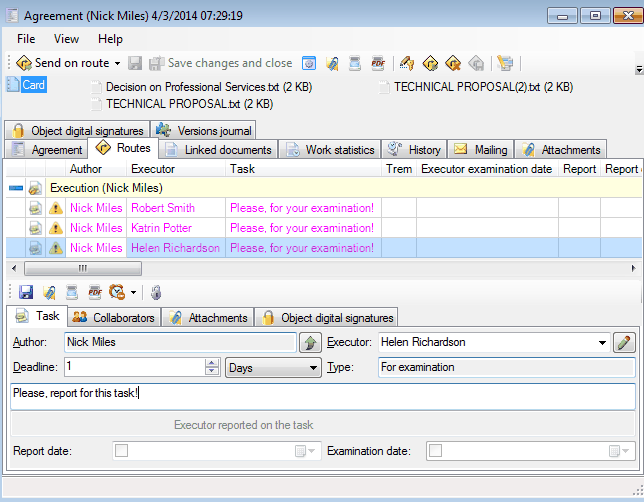
You can specify as the executor any employee or any department. An employee who receives a document will see it in his/her "Inbox" folder.
Related articles
- Collaboration on documents
- «For Approval» order
- «For execution» (auto close) order
- «For examination» order
- «For execution» (manual close) order
- Order execution sent to department
- Working with tasks
- Orders
- Managing route points
- Parallel Route
- Serial/parallel route
- Serial route
- Documents routing
- Sending files via e-mail
- Using FossDoc opportunities
- How to enable or disable to delete routes for individual users?