«For execution» (manual close) order
Order preparation
To send a document for execution with manual closing, you have to choose the corresponding order type
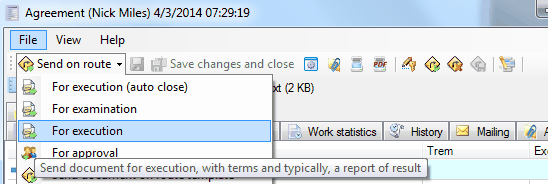
Next, prepare the order as you would prepare a «For examination» order.
Order execution
Order execution is provided as well as in clause of "For execution (auto close)" order
Order control by the Author
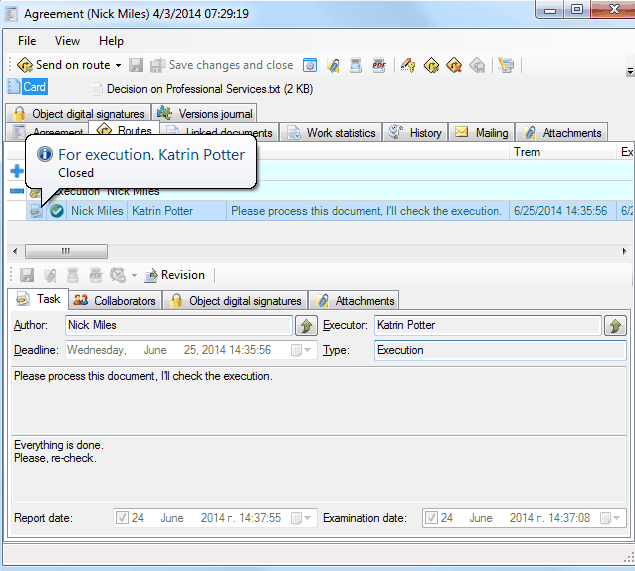
In the execution of the order system puts down all the necessary parameters and displays the executor report, but it is required that this order will be closed manually by its Author. To do this, click
 . After that, the system will close the order.
Related articles
- Collaboration on documents
- «For Approval» order
- «For execution» (auto close) order
- «For examination» order
- Order execution sent to department
- Working with tasks
- Orders
- Managing route points
- Parallel Route
- Serial/parallel route
- Serial route
- Documents routing
- Sending files via e-mail
- Using FossDoc opportunities
- How to enable or disable to delete routes for individual users?
- Document routing