Using the mechanism of “Inherited document types”
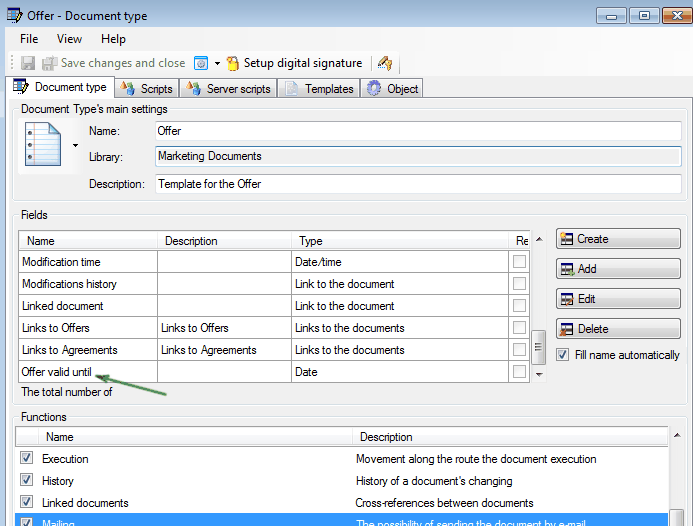
Document types “Offer” and “Technical proposal” will differ with each other only by two fields. There will be “Offer valid until” field in the “Commercial offer”, and “Technical proposal” will have the “Term of realization” field. To create these document types we will use the mechanism of inherited document types.
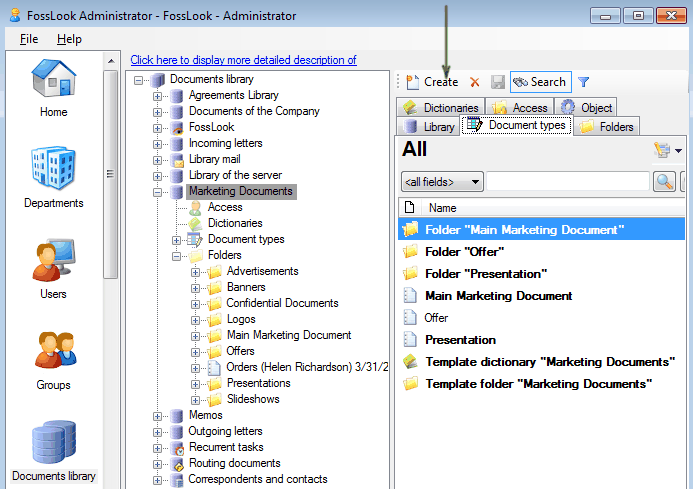
Let’s start from “Technical proposal”. To do this click

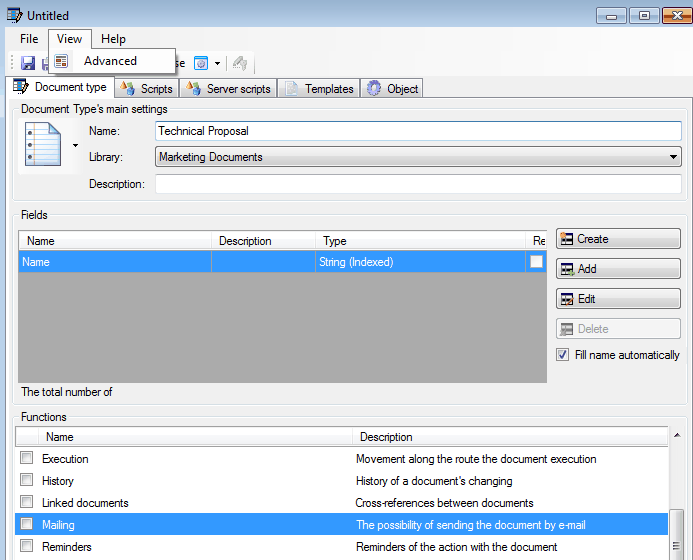
Next enter name of document type and select “Advanced”.
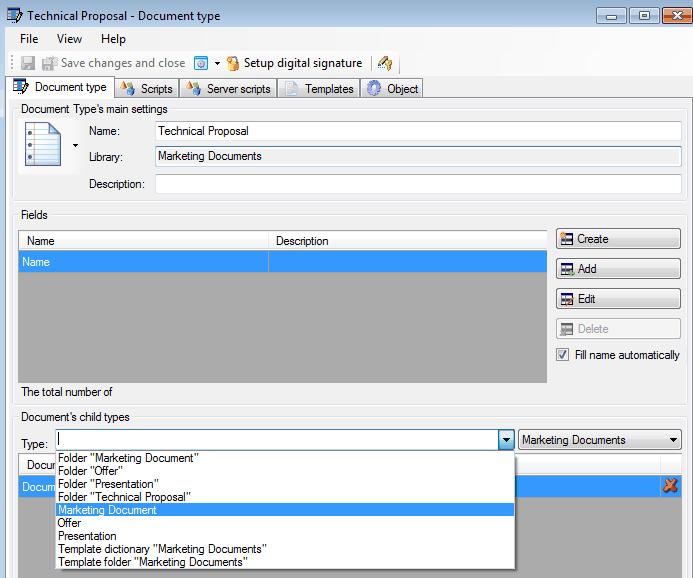
Now select “Marketing document” (which could be found in the “Document’s child types” section), from where the “Technical proposal” document type will inherit its properties.
As result, in our document type “Technical proposal” will be added all fields from “Marketing document”.
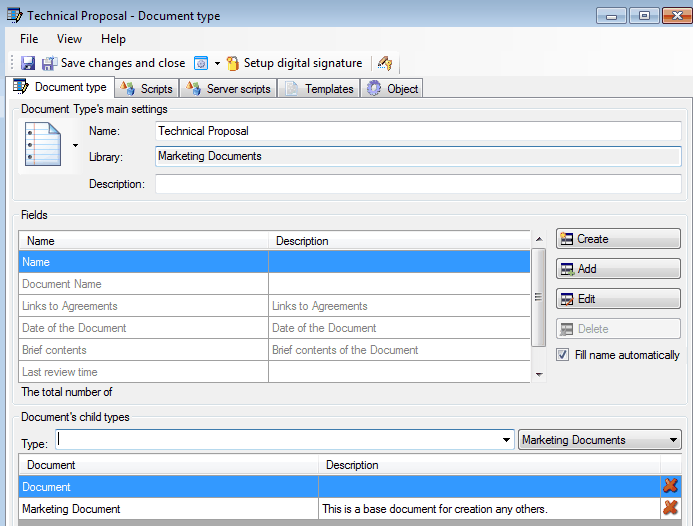
Now it is necessary to create another field “Term of realization” and the type of document is ready.
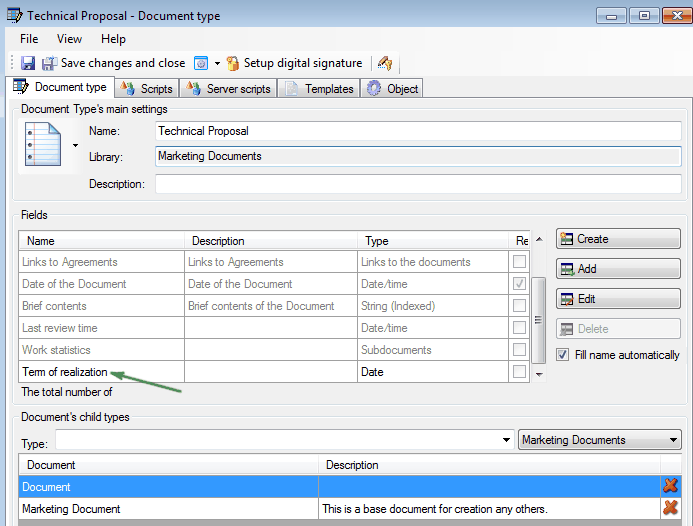
Create “Offer” the same way.
Using the mechanism of adding fields
Related articles
- How to Automate Your HR Department with FossDoc
- Customer Management with FossDoc
- Using FossDoc as a Database for Sociology Studies
- How to Use Document Assembly in Word and FossDoc
- Custom Business Solutions
- How to Manage Student Group Timetable with FossDoc
- Creating business application
- Defining solution boundaries for business applications
- Configuring access to folder
- Configuring access to folders
- Creating basic document type named “Marketing document”
- Creating of a document type
- Creating “Correspondents and contacts” warehouse
- Creating “Marketing documents” warehouse
- Creating of a documents library
- Customizing folder’s view
- Document fields
- Document functions
- Preparation of the document's route pattern
- Preparation of the route
- Testing the route
- Testing the solution
- Customizing folder’s view
- Using the mechanism of adding fields