FossDoc Client Desktop Application
General Information
The "FossDoc Client" desktop application works and looks much like a usual email client with additional document editing features. It allows you to work with mail messages and documents, create them, send for approval etc.
These are some of the desktop client features:
- work with multiple email addresses
- security features like digital signing, public key infrastructure (PKI), or encryption
- advanced mail filtering based on multiple factors (words, senders, subjects, etc.)
- document editing (check-in, check-out)
- access permissions for every individual tab of the document
- printing Word templates
- collaboration on documents (using shared folders)
After installation, the program basically consists of one main executable updater.exe file, which, after connecting to the server, downloads all necessary components. This approach allows you to always have the latest version of the software on your machine. FossDoc client has a number of settings, which are described in details in the "FossDoc Client Configuration" article.
Client interface is presented on the next screenshot:
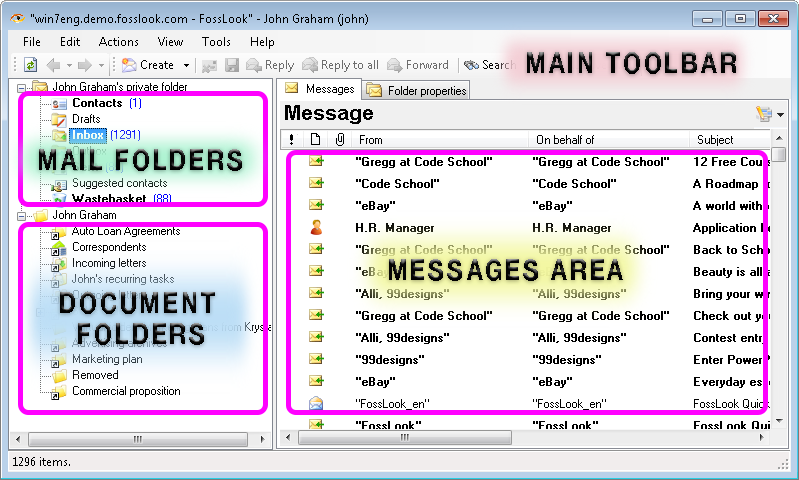
The main interface of the program consists of a several sections. Mail folders - you can use them to work with mail messages. It's a pretty standard set of mail folders and there's no need to discuss them here. Document folders - these are the folders where you create documents, send them on route and share with others.
Working with Mail Messages
Using the FossDoc client application is really convenient and fast. In fact, using client on your computer is just like using any other mail client. The application has a main toolbar where you can select corresponding actions. For example, you can click "Create" button to create a usual email.
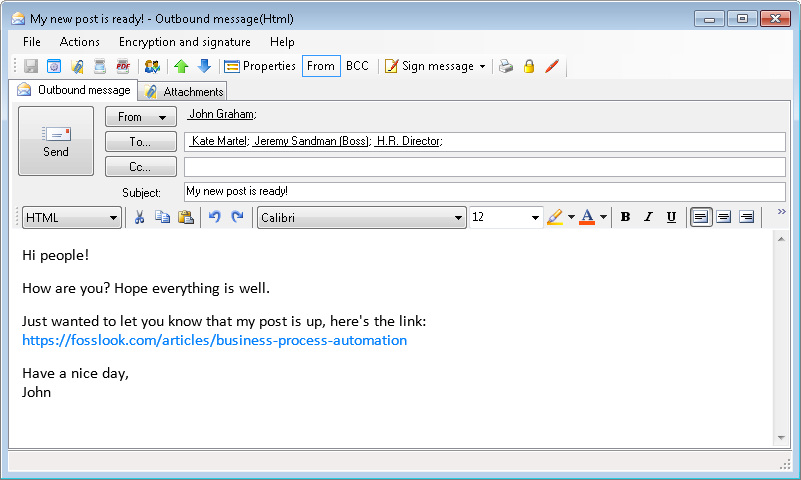
Mail message can be created in either HTML or plain text format. Actions with the mail message are pretty standard.
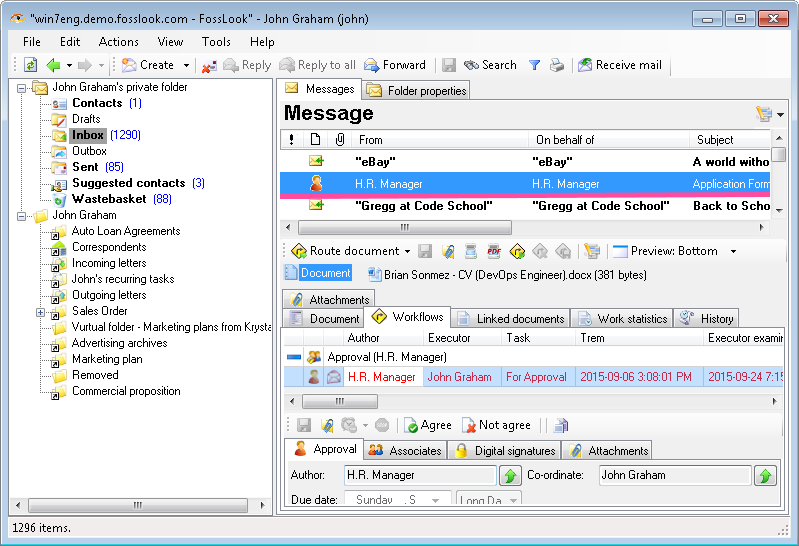
Note: Mail folders can receive not only mail messages, but also FossDoc tasks, which are used to send documents on route, or simply from one user to another. Incoming tasks are delivered to your "Inbox" folder, while outgoing tasks can be stored in "Outbox" folder. When you open the task, it opens related document on the corresponding route point.
Working with Documents
As we mentioned previously, FossDoc also has a set of folders to store documents. The name of the root folder matches the currently logged in user's name. All the folders in this tree were previously shared by the administrator of the system. Initially user has only one common folder - "Removed". The number of folders that you can share here is practically unlimited.
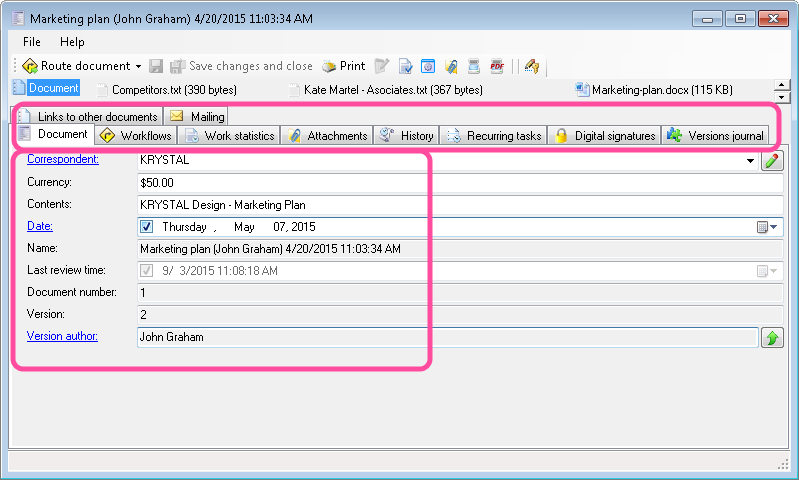
Documents that are stored in folders are represented by the set of fields of a certain type, a set of tabs that can store multi-value fields, document routes and various functions of the document.
Sending Email From the Document
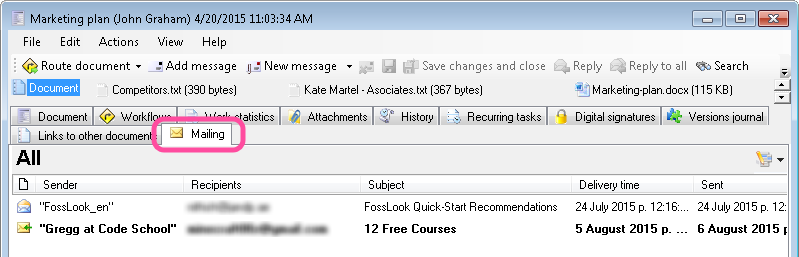
It's very convenient when all correspondence on a document is stored in one place. FossDoc document has a special function called "Mailing", that adds a separate tab for storing all mail messages. From this tab you can compose a new message, or attach the existing one.
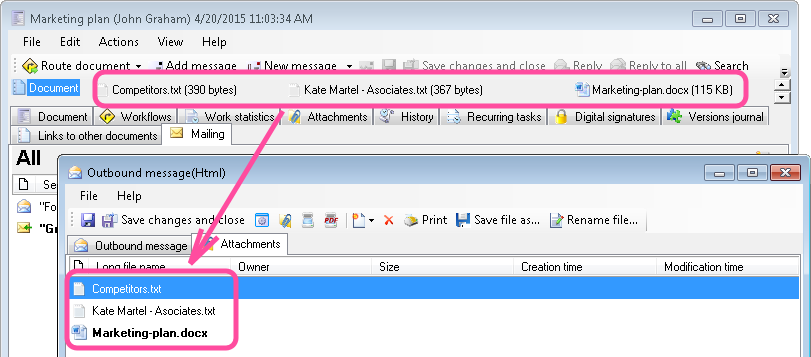
When creating a mail message from the document, it's attachments automatically being copied into the new email message.
To get more information about working with documents in FossDoc you can use the context "Help" menu. Simply press F1, or select "Help"/"Show help" from the main menu, to read the corresponding help article. Read More About FossDoc Client Settings
Related articles
- FossDoc Installation
- Getting Started with FossDoc
- FossDoc Platform Structure
- Hierarchical Business Structure
- Creating Your Company Structure
- FossDoc Administrator program
- Enterprise Information Systems Definition