Delegating mailboxes within a department
There is a concept in FossDoc such as the department's mailbox. I.e. the department has its own e-mail address. In order the employee could work with the department's mailbox you must give him the appropriate powers. To do this, open necessary department's card for editing.
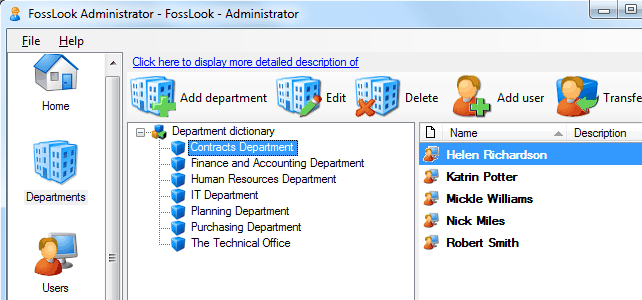
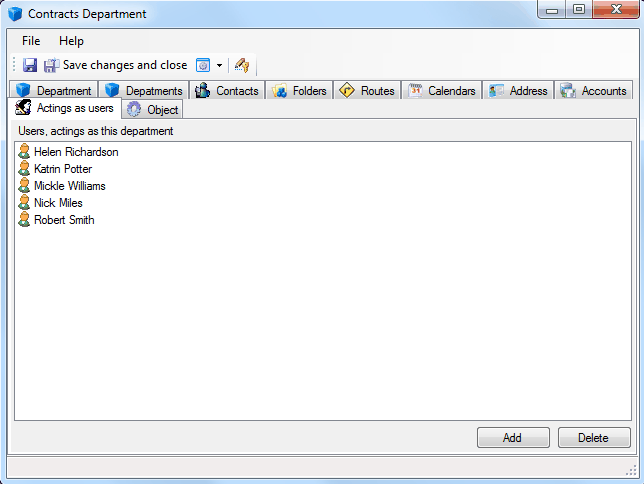
Select «Users fulfilling obligations» tab and add employees who will view the department's e-mails.
As a result, department's folders could be seen on these employees' workplaces.
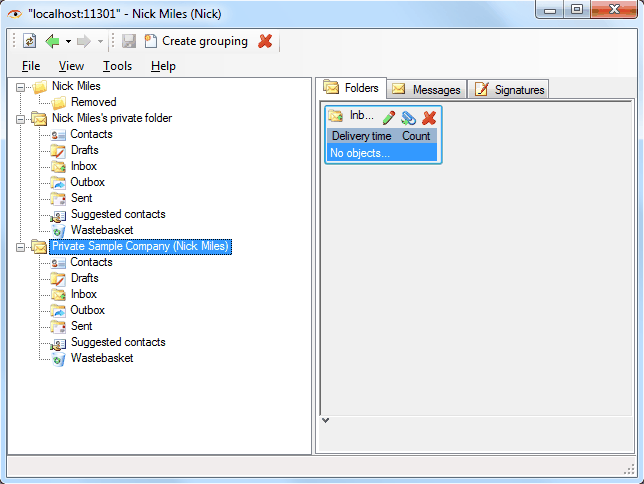
Working with these folders is exactly the same as working with folders in case of delegation of powers from the employee.
Related articles
- Tracking of powers
- Options of access levels
- Levels of access
- Access levels
- Restriction of access to documents and attached files
- Restriction of access to documents
- Restriction of access to attached files
- FossDoc User Groups
- Options for providing access to folders and documents
- Delegation of powers by administrator
- Delegation of powers by employee
- Delegation of powers
- Providing access to folders with documents
- Tracking of delegated powers by system
- Delegation of authorities